What Does Partial Order Mean in an SMM Panel?
If you have placed an order through an SMM Panel and noticed the status “Partial,” it usually means that the service delivered only part of the quantity you requested. For example, if you ordered 1,000 views and only 750 were delivered, the panel may mark the order as partial.
This status does not necessarily mean your entire order failed. It means the requested quantity was not fully delivered, and you need to check how the panel handles the remaining quantity.
In this guide, SMM Panel2 explains the meaning of a partial order, why it happens, how to calculate the undelivered quantity, whether a balance adjustment may apply, and what steps to take next.
What Does Partial Order Mean in an SMM Panel?
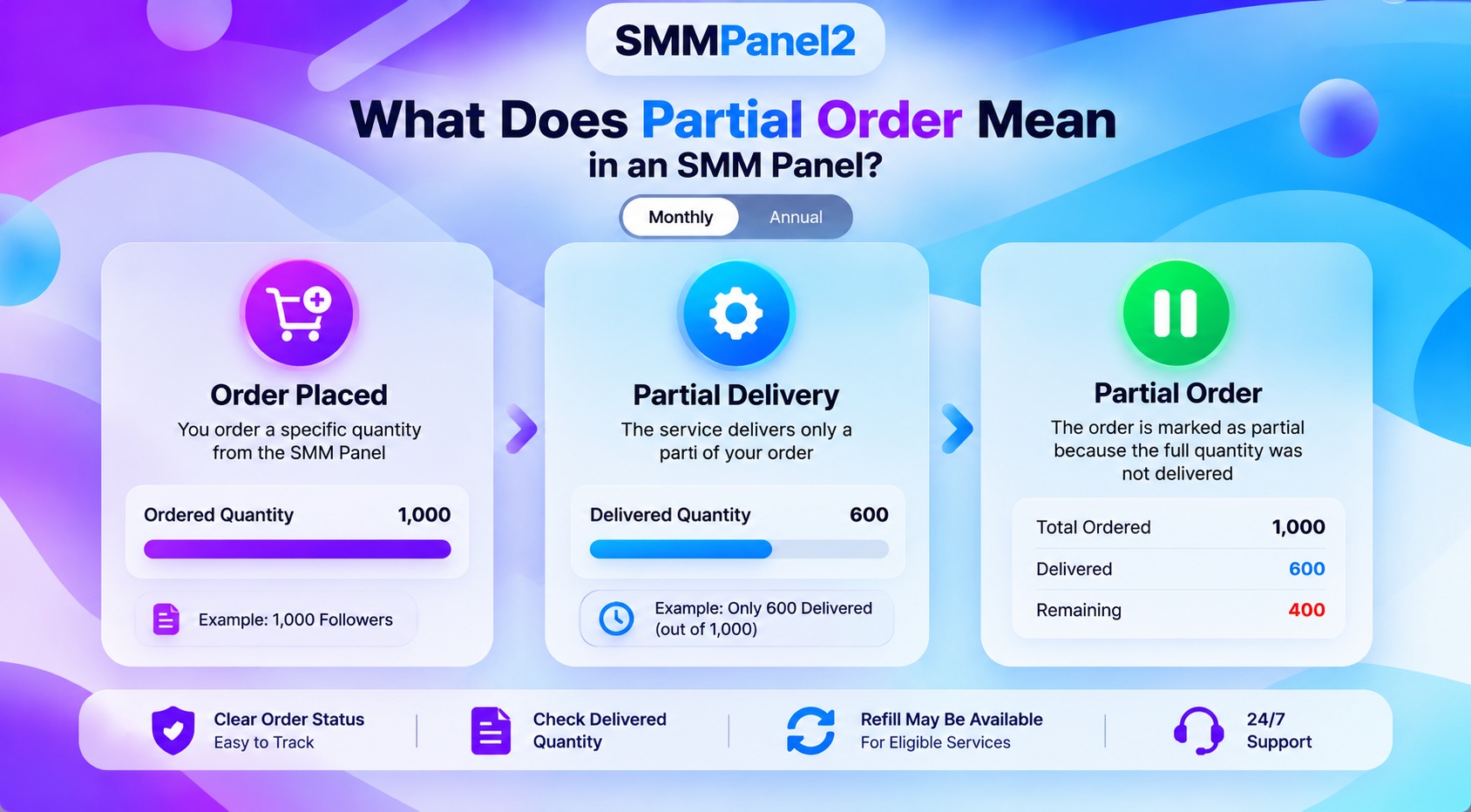
A partial order is an order in which the delivered quantity is lower than the quantity originally requested. The panel records the order as partially completed rather than fully completed.
For example, imagine that you order 1,000 Instagram views through an SMM panel. The service delivers 750 views but cannot complete the remaining 250. The panel may update the order status to “Partial.”
Here is the breakdown:
- Original order: 1,000 views
- Delivered quantity: 750 views
- Undelivered quantity: 250 views
- Final status: Partial, if the panel uses this status for incomplete delivery
The important point is that a partial order involves some delivery, but not the full quantity. The way the remaining amount is handled depends on the panel’s order-processing and billing policies.
How Does a Partial Order Work?
A partial order typically follows these steps, although the exact process varies by provider.
1. You Place an Order
You select a service, enter the required details, and submit a quantity. This could be a supported Instagram service, video views, subscribers, or another available service.
2. The Service Starts Processing
The panel sends the order for processing. Delivery may take place gradually, depending on the service and its stated delivery conditions.
3. The Full Quantity Is Not Delivered
The provider may be unable to complete the entire order. This can happen because of service limitations, interruptions, technical problems, or issues affecting the target content.
4. The Panel Updates the Status
If the provider closes the incomplete order as partial, the panel displays that status in your order history. You should then check the delivered quantity and any associated balance adjustment.
Remember: A partial status alone does not tell you whether a refund has been processed. Check your order record and the panel’s policy.
Why Does an SMM Panel Order Become Partial?
Several factors can contribute to partial delivery. The actual reason depends on the service and provider.
- Service Provider Limitations
A provider may not be able to supply the full requested quantity. If delivery stops before the target is reached, the order may be closed as partial.
- Technical or API Issues
Some panels use connected service providers and APIs to process orders. A temporary connection problem or processing interruption may affect delivery.
You can learn more about order workflows in the SMM Panel2 API documentation.
- Target Link or Content Problems
Certain services depend on an accessible profile, post, video, or other destination. If the target becomes unavailable or no longer meets the service requirements, delivery may be affected.
- Service-Specific Restrictions
A service may have requirements or limitations that affect how much can be delivered. These conditions can differ between services, even when they are listed on the same panel.
- Changes During Processing
Changes to the target account or content during delivery may interfere with some services. However, you should not assume that this is the cause of every partial order; check the order details or ask support for clarification.
What Happens to the Remaining Quantity in a Partial Order?
The remaining quantity is the portion of the original order that was not delivered.
For example, if you ordered 2,000 units and received 1,400, then 600 units remain undelivered.
Some panels may adjust the charge or return the value of the undelivered portion to the panel balance. Other providers may use different procedures. A balance adjustment is not necessarily the same as a refund to your original payment method.
Before assuming that money will be returned, check:
- The final delivered quantity.
- The final order status.
- The amount charged for the order.
- Your panel balance and transaction history.
- The provider’s partial-order and refund policy.
If the final amount is unclear, contact support with your order ID and ask how the undelivered quantity was settled.
How to Calculate the Remaining Quantity in a Partial Order
You can calculate the undelivered quantity using a simple formula.
Remaining Quantity = Ordered Quantity − Delivered Quantity
For example:
Suppose you order 1,500 views, and the final delivered quantity is 1,100.
- Ordered quantity: 1,500
- Delivered quantity: 1,100
- Remaining quantity: 1,500 − 1,100 = 400
The remaining quantity is 400 views.
This calculation tells you how much of the requested quantity was not delivered. It does not, by itself, establish the amount of any refund or balance adjustment. That depends on the service price and the panel’s billing rules.
What Should You Do If Your SMM Panel Order Is Partial?
If you see a partial status, follow this checklist before placing another order.
Step 1: Find the Original Order
Open your dashboard and locate the order. Note the order ID, selected service, requested quantity, final status, and any displayed delivered or remaining quantity.
Step 2: Check the Final Delivery
Compare the original quantity with the delivered quantity. If the panel provides a “remains” value, review it alongside the order details.
Step 3: Review the Service Terms
Check the service description and the panel’s policies for partial orders, cancellations, and balance adjustments. Do not assume that all services follow the same rules.
Step 4: Verify Any Balance Adjustment
Review your balance or transaction history if the service terms state that an adjustment should apply. If you cannot understand the calculation, ask support to explain it.
Step 5: Avoid Duplicate Orders Until You Understand the Status
Placing a second order immediately may create overlapping requests or make troubleshooting more difficult. Confirm the original order’s final status before deciding what to do next.
For help understanding the ordering process, see the SMM Panel2 order and usage guide.
Partial vs Completed vs Canceled Orders
These statuses generally describe different order outcomes.
- Partial Order: Part of the requested quantity was delivered, but the full order was not completed.
- Completed Order: The panel has recorded the order as completed according to its processing system. This status does not necessarily mean that the delivered numbers will remain unchanged indefinitely.
- Canceled Order: The order has been canceled or stopped. Whether any amount is returned to the panel balance depends on the reason for cancellation and the applicable policy.
Do not treat these statuses as interchangeable. If you are unsure how a particular status affects your balance, refer to the order record and the provider’s terms.
Can an Instagram SMM Panel Order Become Partial?
Yes. An Instagram-related order may receive a partial status if only part of the requested quantity is delivered.
For example, you might order 2,000 views for an eligible post, but the service delivers 1,600 before processing stops. If the provider closes the incomplete order as partial, you may see that status in your dashboard.
If this happens, verify that the submitted link meets the service requirements and that the post or profile remains accessible. Then review the final quantity and the relevant service policy.
Partial orders can also occur with other quantity-based social media services. The exact process depends on the provider and the type of service selected.
When choosing a service, read its description carefully rather than relying only on the price or a general delivery estimate.
How to Choose an SMM Panel With Clear Order Policies
A low price does not tell you how an incomplete order will be handled. When comparing an SMM panel, consider the following points.
- Clear service descriptions: Understand the requirements, quantity limits, and delivery conditions before ordering.
- Transparent policies: Check the rules for partial orders, cancellations, refunds, and refill eligibility.
- Order tracking: Make sure you can identify the order and review its current status.
- Accessible support: Know how to contact support if the delivery or billing calculation is unclear.
- Realistic expectations: Treat delivery estimates as estimates unless the service explicitly states otherwise.
When comparing a cheap SMM panel with a more expensive option, consider the service terms and support information as well as the price. The cheapest option is not automatically the most suitable for every requirement.
At SMM Panel2, users can explore the available social media services and review the relevant service information before placing an order.
Frequently Asked Questions
Q1. What does partial order mean in an SMM panel?
It means that only part of the requested quantity was delivered. The panel records the order as partially completed, and the remaining quantity is handled according to the applicable service policy.
Q2. Does a partial order mean my order failed?
Not necessarily. Some of the requested service was delivered, but the full quantity was not completed. Check the final status and order details to understand the outcome.
Q3. Will I get a refund for a partial order?
That depends on the panel’s terms and the specific service. A provider may adjust the charge or return an applicable amount to the panel balance, but you should not assume that every partial order receives a refund to the original payment method.
Q4. Can I request a refill for a partial order?
Refill and partial-order handling are different processes. Refill policies generally concern eligible services where delivered quantities later drop. A partial order concerns an order that was not fully delivered. Check the specific service’s rules before requesting a refill. Read the SMM Panel2 refill features guide for more information.
Q5. Should I place another order after receiving a partial status?
First, check the final status, delivered quantity, and any applicable balance adjustment. If you are unsure whether the original order is still being processed, contact support before submitting a duplicate order.
Q6. How long does a partial order take to update?
There is no universal update time for every SMM panel or service. Check the service’s stated processing information and your order history. Contact support if the status or balance calculation remains unclear.
Q7. What information should I provide when contacting support?
Provide your order ID, service name, requested quantity, displayed status, and a brief explanation of the issue. Include relevant order details so the support team can investigate without needing to guess which transaction you mean.
A partial order in an SMM panel means that the delivered quantity is lower than the quantity originally requested. Understanding this status helps you calculate what remains undelivered, review the final order outcome, and determine whether any balance adjustment applies.
If you encounter a partial order, check the order ID, delivered quantity, service terms, and transaction history before placing another order. Contact support if the final status or billing calculation is unclear.
SMM Panel2 encourages users to review service descriptions and order policies before submitting requests. Clear expectations and careful order tracking can make managing social media service orders easier.
About the Author
Shevam — SEO & Digital Marketing Professional
Shevam is the founder of SMM Panel2 and a digital marketing professional based in Lucknow, India, with over 10 years of experience in SEO and digital marketing. His work focuses on search visibility, content strategy, and digital marketing operations.
Through SMM Panel2, Shevam aims to make social media service management easier for creators, businesses, agencies, and resellers by helping users understand available services, ordering processes, and relevant service conditions.
Author profile: Meet Shevam, Founder of SMM Panel2