What Is an SMM Panel? How Does an SMM Panel Work?
Social media has become an essential part of digital communication, brand awareness, content distribution, and online business development. Platforms such as Instagram, YouTube, Facebook, TikTok, Telegram, and X allow individuals and businesses to connect with audiences, publish content, and build online communities.
However, managing multiple social media accounts and marketing activities can involve several tasks. Businesses need to plan content, monitor engagement, manage campaigns, analyse performance, and explore different promotional tools. This is where social media marketing platforms and specialised service dashboards become relevant.
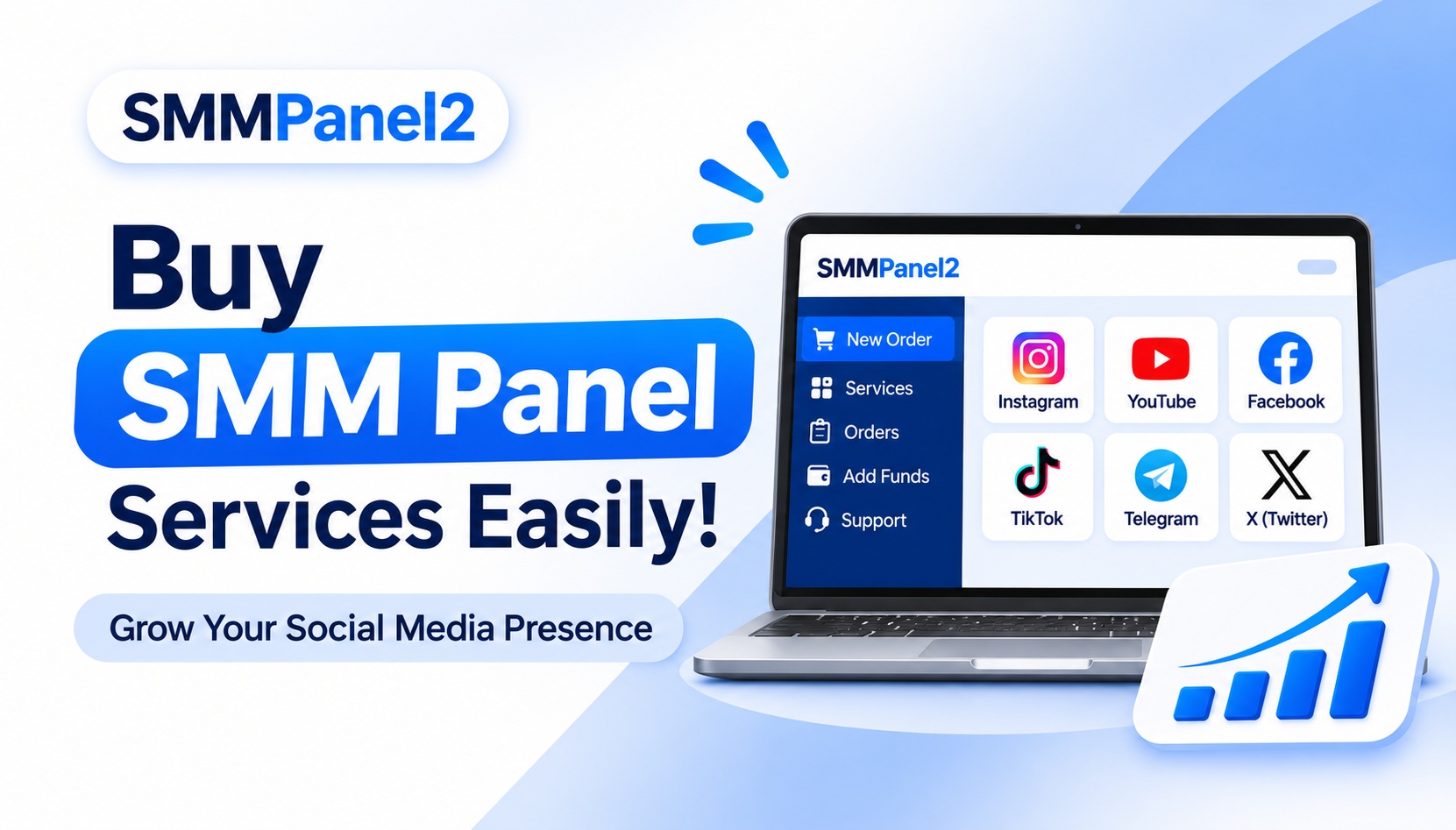
An SMM Panel https://smmpanel2.com/ (Social Media Marketing Panel) is an online platform that provides access to different social media-related services through a centralised dashboard. Depending on the provider, users may find service categories related to Instagram followers, YouTube views, Facebook engagement, TikTok likes, Telegram members, and other social media activities.
An SMM panel generally allows users to create an account, browse available services, compare prices, submit orders, and monitor order progress from one place.
But how does an SMM panel actually work? What happens after someone places an order? Which social media platforms can be supported? How should users evaluate an SMM panel provider?
This detailed guide explains the complete process, from understanding the basic concept to exploring service categories, API integration, reseller functionality, and important factors to consider before choosing a provider.
Whether you are a beginner, social media manager, digital marketing agency, content creator, or reseller, understanding how an SMM panel works can help you make more informed decisions.
What Is an SMM Panel?
An SMM Panel stands for Social Media Marketing Panel. It is an online platform that brings different social media-related services together in one place, allowing registered users to browse service options and manage orders through an account dashboard.
Traditionally, people and businesses may need to contact different service providers to explore individual social media services. An SMM panel provides a centralised interface where users can view available services, check pricing, review requirements, and submit orders.
An SMM panel may include services for:
- Instagram followers, likes, comments, and views.
- YouTube views, subscribers, likes, and comments.
- Facebook page likes, followers, and post engagement.
- TikTok followers, video views, likes, and shares.
- Telegram channel members, post views, and reactions.
- X (Twitter) followers, likes, and reposts.
- Other platform-specific promotional services, depending on availability.
How Is an SMM Panel Different from a Regular Social Media Marketing Tool?
A regular social media management tool generally focuses on activities such as scheduling posts, managing messages, analysing account performance, and planning content.
An SMM panel primarily provides a catalogue of listed services that users can browse and order through a dashboard.
For example, a social media management tool may help a business schedule Instagram posts, while upan SMM panel may list Instagram-related services such as followers, likes, or Reel views.
These tools serve different purposes and should not be treated as interchangeable.
What Does an SMM Panel Dashboard Include?
Most SMM panel dashboards provide several account management features. The exact layout and functionality depend on the provider.
Common dashboard sections include:
1. New Order: A section where users select a platform, choose a service, enter the required link, specify the quantity, and submit an order.
2. Services List: A catalogue containing available social media services, descriptions, prices, and order limits.
3. Add Funds: A wallet or payment section used to add account balance through supported payment methods.
4. Orders: A section where users can review previously submitted orders and their current status.
5. Support: A communication area for submitting questions or requesting assistance.
6. API: A technical section for users who want to connect compatible applications with the panel.
7. Account Settings: A section for managing profile information, login details, and other account preferences.
SMM Panel2 provides an online dashboard where users can explore its available service categories and manage their orders. Visit the SMM Panel2 to explore the platform.
How Does an SMM Panel Work?
An SMM panel generally works through a structured ordering process. A user selects a service, provides the required information, submits an order, and monitors its status through the dashboard.
However, there are several steps involved behind this simple process.
Let's understand the complete workflow.
Step 1: User Registration and Account Creation
The first step is creating an account on the SMM panel website.
During registration, users may be asked to provide:
- Email address.
- Username.
- Password.
- Other required registration details.
After successful registration, users can log in and access their account dashboard.
The dashboard acts as the central control area for managing services, wallet balance, and order activity.
Before registering, users should review the website's terms of service, privacy policy, and account requirements.
Step 2: Browse the Available Services
After logging in, users can explore the available service catalogue.
An SMM panel usually organises services into categories based on social media platforms and service types.
For example:
- Instagram Services.
- YouTube Services.
- Facebook Services.
- TikTok Services.
- Telegram Services.
- X (Twitter) Services.
Each category may contain multiple service options.
A service listing should ideally explain its purpose, minimum order quantity, maximum order quantity, price, delivery estimates, and applicable conditions.
Users should read these details carefully before selecting an option.
Step 3: Understand the Service ID and Description
Some SMM panels assign a unique service ID to every listed service.
A service ID helps users and the panel identify the exact option selected for an order.
For example, an Instagram service catalogue may contain several different types of Instagram-related services. Each option can have a separate ID, price, delivery estimate, and order limit.
The service description is equally important because two services belonging to the same platform may have different requirements.
Before selecting a service, check:
- What the service provides.
- Which type of link is accepted.
- Whether a public account is required.
- Minimum and maximum quantity.
- Estimated processing time.
- Refill or cancellation availability.
- Other service-specific conditions.
Do not assume that every service in the same category works in the same way.
Step 4: Add Funds to the Account Wallet
Many SMM panels operate through a prepaid balance system.
Users add funds to their account and use the available wallet balance to pay for selected services.
For example, if a user's wallet contains ₹500 and an eligible order costs ₹100, the applicable amount may be deducted from the available balance after the order is accepted, depending on the provider's payment system.
The actual pricing and deduction process can vary.
Before adding funds, review:
- Available deposit methods.
- Minimum deposit amount.
- Transaction charges, if any.
- Payment confirmation requirements.
- Refund conditions.
- Wallet balance policies.
Users should always verify the payment information displayed on the official website.
Step 5: Select a Social Media Platform
After reviewing the catalogue and wallet requirements, users select their preferred social media platform.
For example:
- Instagram: For services related to profiles, posts, Reels, and other supported Instagram activities.
- YouTube: For services related to videos, Shorts, and channels.
- Facebook: For services related to pages, posts, and video content.
- TikTok: For supported video and profile-related service categories.
- Telegram: For supported channels, groups, and posts.
- X (Twitter): For supported profile and post-related categories.
The actual service availability depends on the provider's current catalogue.
Step 6: Enter the Required Link and Quantity
Once a service is selected, the panel generally asks the user to enter the required link and quantity.
The required link depends on the service.
Examples include:
- Instagram profile URL.
- Instagram post or Reel URL.
- YouTube video URL.
- YouTube channel URL.
- Facebook page or post URL.
- TikTok video URL.
- Telegram channel or post link.
The user then enters the requested quantity within the service's permitted limits.
For example, if a service has a minimum order quantity of 100 and a maximum quantity of 5,000, an order must fall within those limits.
Always verify the URL and quantity before submitting an order. Never share your social media password with an SMM panel provider.
Step 7: Order Submission and Processing
After the user confirms the order details, the panel records the request in its order management system.
A typical order contains information such as:
- Order ID.
- Selected service.
- Submitted link.
- Requested quantity.
- Order amount.
- Submission time.
- Current status.
Depending on the provider's technical setup, the order may be processed internally or forwarded through an integrated service provider or API connection.
This means that the panel's dashboard and the underlying service delivery system may be separate components.
The actual processing method depends on the provider.
Step 8: Order Status Tracking
Once submitted, an order can move through different statuses.
Common SMM panel order statuses include:
- Pending: The order has been submitted but has not yet started processing.
- Processing: The order is being handled by the provider or its connected service system.
- In Progress: The service has started processing but has not yet reached completion.
- Completed: The provider has marked the requested order as completed.
- Partial: The order has been completed for less than the requested quantity.
- Canceled: The order has been canceled according to the applicable service conditions.
Users should understand that a completed status does not independently verify the quality or authenticity of the resulting engagement.
Step 9: Refill, Cancellation, or Support Requests
Some SMM panel services may offer additional order management options.
These can include:
- Refill requests for eligible orders.
- Cancellation requests where supported.
- Assistance with delayed orders.
- Clarification of service requirements.
- Support for partial orders.
Not every service includes these features.
For example, a refill option may only apply to a specific service and within a defined eligibility period. Similarly, cancellation may not be possible after an order has entered a particular processing stage.
Users should always read the service description and provider policies.
What Services Does an SMM Panel Provide?
An SMM panel may offer different service categories for several social media platforms. The range of available services depends on the provider and its current catalogue.
Below is a detailed explanation of common service categories.
Instagram SMM Panel: What Services Are Available?
Instagram is widely used by creators, businesses, influencers, and brands to publish photos, videos, Reels, Stories, and promotional content.
An Instagram SMM panel may list different Instagram-related service categories.
Instagram Followers
Instagram follower services are listed for users who want to explore profile-related engagement options.
Before selecting any follower service, check its description, delivery conditions, eligibility, and applicable platform rules.
Instagram Likes
Instagram likes are associated with engagement on posts and other supported content.
Users may find different service options depending on content type and provider availability.
Instagram Reel Views
Instagram Reel views are related to video content published through Instagram Reels.
Creators may explore Reel-related service categories when managing their video campaigns.
Instagram Story Views
Some panels list services related to Instagram Stories.
Story services may have specific requirements concerning account visibility, content availability, and link formats.
Instagram Comments
Comment-related services may be listed for eligible Instagram posts.
Users should understand that authentic comments and genuine conversations are different from automated or artificial engagement.
Instagram Saves and Shares
Some service catalogues include options related to saves and shares.
These categories relate to actions associated with Instagram content, but availability and conditions vary by provider.
To explore the platform-specific options, visit the SMM Panel2 Instagram SMM Panel.
YouTube SMM Panel: What Services Are Available?
YouTube is a video-sharing platform where creators publish long-form videos, Shorts, live streams, and other content.
A YouTube SMM panel may list the following categories:
YouTube Views
Video views are a common YouTube-related service category.
Users should understand that YouTube applies its own view validation and traffic quality systems. Artificial views may be removed and can create policy or monetisation risks.
YouTube Subscribers
Subscriber-related services may appear in the YouTube category of some SMM panels.
However, subscriber counts alone do not establish genuine audience interest, watch time, or long-term channel performance.
YouTube Likes
YouTube likes are engagement signals associated with videos.
Creators should prioritise useful videos and authentic audience interaction rather than relying only on engagement numbers.
YouTube Comments
Comment-related options may be listed for supported videos.
Genuine comments should be relevant, meaningful, and compliant with YouTube's policies.
YouTube Shorts Views
YouTube Shorts are short-form videos displayed through YouTube's Shorts experience.
Some panels may list Shorts-specific service options.
Creators should review YouTube's policies before using third-party services.
Facebook SMM Panel: What Services Are Available?
Facebook supports business pages, personal profiles, groups, videos, and other community features.
A Facebook SMM panel may include:
Facebook Page Likes
This category relates to Facebook page-related engagement services.
Facebook Followers
Some providers list follower-related options for eligible Facebook pages or profiles.
Facebook Post Likes
Post likes are associated with engagement on supported Facebook content.
Facebook Video Views
Some panels provide Facebook video-related service options.
Facebook Comments
Comment-related services may be listed for eligible posts.
Businesses should combine any social media promotional activity with genuine customer conversations, useful content, and platform-compliant advertising.
TikTok SMM Panel: What Services Are Available?
TikTok focuses on short-form video content, creators, trends, and community interaction.
Common TikTok-related service categories may include:
- TikTok Followers.
- TikTok Likes.
- TikTok Video Views.
- TikTok Shares.
Creators should review the service requirements and TikTok's policies before using third-party engagement services.
Artificial engagement can create account and content distribution risks.
Telegram SMM Panel: What Services Are Available?
Telegram supports public and private groups, channels, communities, and messaging features.
A Telegram SMM panel may list:
Telegram Channel Members
This category relates to channel membership services where supported.
Telegram Group Members
Some providers list services related to Telegram groups.
Telegram Post Views
Post-view categories may be available for supported channels and posts.
Telegram Reactions
Reaction-related services may be listed for eligible Telegram content.
Before ordering, check whether the service accepts public channel links, group links, or another specific URL format.
X (Twitter) SMM Panel: What Services Are Available?
X, previously known as Twitter, is used for public conversations, updates, news, discussions, and content distribution.
Some SMM panels may provide categories such as:
- X Followers.
- Twitter Likes.
- Reposts.
- Post Views.
The availability and conditions of these services depend on the provider.
Spotify Promotion Services
Some SMM providers also list Spotify-related promotional categories.
Examples may include:
- Spotify Plays.
- Spotify Followers.
- Other supported music-related promotional options.
Musicians and artists should be particularly careful about artificial streaming. Spotify may take action against artificial streams, including removing content or withholding royalties.
Who Can Use an SMM Panel?
An SMM panel may be relevant to different types of users. However, the right solution depends on the user's objectives, available services, and understanding of social platform policies.
1. Social Media Influencers
Influencers manage profiles across platforms such as Instagram, YouTube, and TikTok.
They may explore service catalogues while planning their social media activities. However, genuine influence depends on audience trust, relevant content, and authentic interaction.
2. Content Creators and YouTubers
Video creators may manage content across YouTube, Instagram, and other platforms.
A centralised dashboard can make it easier to browse different service categories, but it cannot replace video quality, audience retention, content planning, or genuine viewer interest.
3. Small Businesses and Startups
Small businesses use social media to present products, communicate with customers, and promote their services.
An SMM panel may provide access to listed service categories, while businesses should continue investing in authentic content, customer service, and approved advertising campaigns.
4. Digital Marketing Agencies
Agencies frequently manage multiple accounts and campaigns for different clients.
An SMM panel may help them organise service requests through a central dashboard.
Before using any third-party service for client accounts, agencies should evaluate the risks, obtain appropriate client approval, and follow platform rules.
5. Freelancers and Social Media Managers
Freelancers may handle social media activities for multiple clients.
An SMM panel can offer a central location to explore service options and monitor order information.
6. SMM Resellers
Some panel providers support reseller workflows.
Resellers may use the available service catalogue to manage customer requests, compare service costs, and organise orders.
Before starting a reseller business, it is important to understand pricing, customer support, refund conditions, API availability, and service reliability.
What Are the Main Benefits of Using an SMM Panel?
The advantages of an SMM panel depend on the provider and its features. Common operational benefits include the following.
1. Centralised Service Management
Users can explore different social media categories from a single account instead of visiting multiple provider websites.
2. Easy Service Discovery
A structured service catalogue can help users find platform-specific options more conveniently.
3. Order Tracking
Order management features allow users to check order IDs, processing statuses, and other relevant details.
4. Pricing Comparison
Users may compare different listed services based on price, minimum quantity, maximum quantity, and service conditions.
5. Multiple Platform Categories
A provider may support several platforms, including Instagram, YouTube, Facebook, TikTok, and Telegram.
6. Wallet-Based Payments
A prepaid wallet system can make it easier to manage payments and submit multiple orders without repeating the entire payment process.
7. API Integration
Providers offering API functionality may allow compatible applications to submit and manage orders automatically.
8. Reseller Management
Some panels offer features that can support reseller workflows and service management.
These benefits relate mainly to convenience and order administration. They do not guarantee genuine social media growth, conversions, audience trust, or sales.
What Is the Difference Between an SMM Panel and Social Media Marketing?
An SMM panel and social media marketing are connected concepts, but they serve different purposes.
Social media marketing is a complete marketing discipline that includes:
- Content strategy.
- Creative development.
- Social media advertising.
- Audience research.
- Community management.
- Campaign analytics.
- Brand communication.
- Lead generation.
An SMM panel, on the other hand, is an online platform that lists specific social media-related services.
For example, a social media marketing agency may plan a complete Instagram campaign involving content creation, influencer partnerships, audience targeting, and paid advertising.
An SMM panel may simply provide access to a catalogue of Instagram-related services through a dashboard.
Comparison Factor
SMM Panel
Social Media Marketing
Main purpose
Access listed services
Develop and manage marketing campaigns
Content creation
Usually not the main feature
A major component
Advertising
Depends on provider
Includes paid advertising
Audience research
Usually limited
Important part of strategy
Community management
Usually not included
Often included
Order tracking
Common dashboard feature
Depends on marketing tools
Campaign analytics
Depends on provider
Often part of campaign management
For sustainable online growth, businesses should focus on a complete marketing strategy rather than depending on engagement services alone.
What Is an SMM Panel API?
An SMM Panel API is an application programming interface that allows compatible software, websites, or applications to communicate with an SMM panel.
API integration can reduce manual work by allowing supported actions to be performed programmatically.
For example, a reseller may connect their website to a compatible provider's API. When a customer submits an order through the reseller's website, the application can send the request to the provider through the API.
The exact features depend on the provider's documentation.
How Does SMM Panel API Integration Work?
A typical API workflow includes:
Step 1: Obtain API Credentials
The provider supplies the required API credentials to an authorised account.
Step 2: Read the API Documentation
The developer reviews the endpoint, authentication method, request parameters, and supported actions.
Step 3: Connect the Application
The developer configures the reseller website or application to communicate with the provider's API.
Step 4: Retrieve Available Services
If supported, the application can request the provider's service catalogue.
Step 5: Submit Orders
The connected application sends order information through the API.
Step 6: Check Order Status
The application may request updates regarding the submitted order.
Who Needs an SMM Panel API?
API integration may be useful for:
- SMM panel resellers.
- Digital marketing agencies.
- Developers.
- Businesses handling large order volumes.
- Websites that require automated order workflows.
API integration requires appropriate technical configuration and secure credential management.
You can review the SMM Panel2 API https://smmpanel2.com/api for available API-related information.
What Is an SMM Reseller Panel?
An SMM reseller panel is a platform or reseller account arrangement that allows users to offer listed social media services to their own customers.
The reseller generally manages customer orders and payments, while service fulfilment may be handled by the connected provider.
A typical reseller workflow looks like this:
- The reseller creates an account with a supporting provider.
- The reseller reviews available services and prices.
- The reseller establishes their own customer-facing pricing.
- Customers submit orders through the reseller's website.
- The reseller processes the requests through the provider's supported system.
- The reseller monitors order statuses and manages customer support.
Some providers support API integration, while others may require manual order placement.
What Should You Check Before Choosing an SMM Reseller Panel?
Consider these factors:
- Wholesale service pricing.
- API documentation and availability.
- Order status synchronisation.
- Customer support.
- Refund and cancellation conditions.
- Service descriptions and limitations.
- Payment and account security.
- Provider reliability.
A reseller should not promise customers guaranteed results that the underlying provider cannot substantiate.
How Much Does an SMM Panel Cost?
The cost of using an SMM panel depends on the provider, selected service, order quantity, platform, and applicable conditions.
There is no single universal price for every SMM panel service.
For example, Instagram-related services and YouTube-related services may have different pricing structures. Even two services belonging to the same platform may have different prices because their delivery requirements and service conditions can vary.
Factors That Affect SMM Panel Pricing
1. Platform: Different platforms may have different service costs.
2. Service Type: Followers, likes, views, comments, and other categories may have separate pricing.
3. Order Quantity: Some services charge according to the requested quantity.
4. Service Conditions: Delivery estimates, refill availability, and other features may influence pricing.
5. Provider Pricing: Different providers may use different service suppliers and pricing models.
How to Compare Cheap and Premium SMM Panel Services
When comparing a cheap SMM panel with a higher-priced option, do not focus only on the price per 1,000 units.
Check the following:
- Service description.
- Minimum order quantity.
- Maximum order quantity.
- Delivery estimates.
- Refill eligibility.
- Cancellation conditions.
- Customer support.
- Platform compliance.
The cheapest option is not automatically the most suitable option.
Users should evaluate the actual service conditions before making a purchase decision.
How to Choose the Best SMM Panel in India?
Choosing the best SMM panel in India requires evaluating multiple factors instead of relying on promotional claims.
Whether you are a beginner, freelancer, agency, or reseller, the following checklist can help you compare providers.
1. Check the Website and Platform Information
Review the provider's website, service catalogue, terms, privacy policy, and contact information.
2. Check Indian Payment Options
If you are using an Indian SMM panel, review the available payment methods, currency, minimum deposit, and transaction conditions.
Do not assume that UPI, INR, or any specific payment method is supported unless the provider confirms it.
3. Review the Service Catalogue
Check whether the platform provides the categories you need for Instagram, YouTube, Facebook, Telegram, or other supported networks.
4. Compare Prices Transparently
Compare similar services rather than comparing unrelated categories.
Look at the full service description, order limits, and delivery conditions.
5. Check Customer Support
Review available support channels and how users can raise issues concerning orders or payments.
6. Understand Refund and Refill Policies
Read the conditions carefully, especially for partial, canceled, or delayed orders.
7. Review API and Reseller Features
If you manage a reseller business, check the API documentation, supported actions, request limits, and technical support.
8. Avoid Unrealistic Promises
Be cautious of providers promising guaranteed viral reach, instant sales, permanent engagement, or guaranteed ranking results.
A transparent provider should explain the service and its limitations clearly.
Is an SMM Panel Safe to Use?
The safety of an SMM panel depends on the provider, the services offered, payment security, data handling, and compliance with social media platform policies.
Before using any panel, consider the following precautions.
Protect Your Social Media Account
Never provide your account password to an SMM panel.
Where a service requires a public link, use only the correct URL and follow the listed requirements.
Review the Privacy Policy
Understand how the provider collects, stores, and uses registration and transaction information.
Check Payment Security
Use the payment methods listed on the official website and retain relevant transaction records.
Understand Artificial Engagement Risks
Social media platforms have policies against spam, fake engagement, manipulation, and inauthentic activity.
Third-party services that generate artificial engagement may create risks, such as:
- Removal of views, likes, or followers.
- Reduced content distribution.
- Account restrictions.
- Monetisation problems.
- Loss of audience trust.
Do Not Depend on Engagement Numbers Alone
A higher follower or view count does not necessarily mean more customers, conversions, or meaningful audience relationships.
Focus on content quality, audience relevance, and genuine interaction.
Common SMM Panel Terms Every Beginner Should Know
Before using an SMM panel, it helps to understand some common terms found in service catalogues and order dashboards.
1. Minimum Order
The smallest quantity accepted for a particular service.
2. Maximum Order
The highest quantity accepted for a particular service in one order.
3. Start Time
The estimated time before an order begins processing. Actual timing may vary.
4. Speed
A service description may provide an estimated delivery rate or processing speed. This is not necessarily a guaranteed completion time.
5. Refill
A refill option may allow an eligible order to be replenished under specific service conditions.
Read the detailed guide: SMM Panel Refill Features and How Does It Work?.
6. Partial Order
A partial order occurs when an order is completed for less than the originally requested quantity.
The remaining amount may be handled according to the provider's policy.
7. Drip Feed
Drip feed is a scheduling feature that divides an order into multiple smaller submissions over a specified period, where supported.
8. API
An API enables compatible applications to communicate with an SMM panel and perform supported operations automatically.
9. Service ID
A unique identifier assigned to a specific service listing.
10. Order ID
A unique reference number used to identify and track an individual order.
Understanding these terms can make the SMM panel dashboard easier to navigate.
Common Mistakes to Avoid When Using an SMM Panel
Beginners sometimes make avoidable mistakes when placing their first orders.
Selecting a Service Without Reading Its Description
Different services have different requirements. Always review the description before submitting an order.
Entering an Incorrect Link
A wrong or unsupported URL can cause an order to fail or remain unprocessed.
Ignoring Order Limits
Submitting a quantity below the minimum or above the maximum may result in an error.
Choosing Only the Cheapest Service
Price alone does not indicate service quality, reliability, or compliance.
Placing Duplicate Orders
Submitting multiple orders for the same link without understanding the service's restrictions can create processing conflicts.
Ignoring Platform Policies
Users should understand that third-party engagement services may conflict with social platform rules.
Expecting Guaranteed Results
No SMM panel can guarantee genuine audience growth, sales, engagement, or long-term visibility.
How to Start Using SMM Panel2?
If you want to explore an SMM panel platform, begin by understanding the available services, their requirements, and the account management process.
SMM Panel2 provides an online platform where users can explore its listed social media service categories and manage orders through a centralised dashboard.
Here is a general process for getting started.
Step 1: Visit the Official Website
Open SMMPanel2.com to access the platform.
Step 2: Register an Account
Complete the registration process using the information requested by the website.
Step 3: Explore Available Services
Visit the SMM Panel2 Services to browse the available categories.
Step 4: Select the Relevant Platform
Find the platform and service category that matches your requirements.
Step 5: Read the Service Description
Check the price, minimum and maximum order limits, required link format, delivery estimate, and other conditions.
Step 6: Review Payment Requirements
Check the available payment methods and wallet requirements before adding funds.
Step 7: Submit and Monitor Your Order
If you decide to proceed, enter the correct information and monitor the order through your account dashboard.
You can also explore the following resources:
- SMM Panel2
- Indian SMM Panel
- SMM Panel Services
- Instagram SMM Panel
- SMM Panel API
- How SMM Panel Works
Explore SMM Panel2 to understand the available service options, review their requirements, and manage your social media service orders through one platform.
- SMM Panel2 Website – https://smmpanel2.com/
- SMM Panel2 – https://smmpanel2.com/
- Indian SMM Panel – https://smmpanel2.com/indian-smm-panel
- Instagram SMM Panel – https://smmpanel2.com/smm-panel-for-instagram
- YouTube SMM Panel – https://smmpanel2.com/services
- SMM Panel Services – https://smmpanel2.com/services
- Instagram SMM Panel – https://smmpanel2.com/smm-panel-for-instagram
- SMM Panel API – https://smmpanel2.com/api
- How SMM Panel Works – https://smmpanel2.com/how-smm-panel-works
- SMM Panel Refill Features and How Does It Work? – https://smmpanel2.com/blog/smm-panel-refill-features-and-how-does-it-work
- What Is Refill in an SMM Panel? – https://smmpanel2.com/blog/what-is-refill-in-smm-panel-instagram-followers-services
- Shevam – SMM Panel2 Author Profile – https://smmpanel2.com/shevam
Frequently Asked Questions
Q1. What is an SMM panel in simple words?
An SMM panel is an online platform where users can browse and order different social media-related services through one dashboard. Depending on the provider, services may be available for Instagram, YouTube, Facebook, TikTok, Telegram, and other platforms.
Q2. How does an SMM panel work step by step?
A typical SMM panel works through account registration, service selection, wallet funding, link submission, order placement, and status tracking. The provider processes the request according to the selected service's requirements.
Q3. What is the full form of SMM?
SMM stands for Social Media Marketing. It refers to marketing activities performed through social media platforms to communicate with audiences, promote products, and build brand awareness.
Q4. What is an SMM panel used for?
An SMM panel is used to access and manage listed social media-related services through a centralised dashboard. Common categories include followers, likes, views, comments, subscribers, and other platform-specific services.
Q5. Which social media platforms can an SMM panel support?
Depending on the provider, an SMM panel may support Instagram, YouTube, Facebook, TikTok, Telegram, X (Twitter), and Spotify. Always check the current service catalogue for availability.
Q6. Can I use an SMM panel for Instagram and YouTube together?
Yes, if the provider lists services for both platforms. Users can generally access different platform categories through the same account dashboard.
Q7. What is an Instagram SMM panel?
An Instagram SMM panel is a service category or platform that lists Instagram-related options such as followers, likes, Reel views, Story views, comments, saves, or shares, depending on the provider.
Q8. What is a YouTube SMM panel?
A YouTube SMM panel provides access to YouTube-related service categories, which may include video views, subscribers, likes, comments, and Shorts views.
Q9. Is an SMM panel free or paid?
Most SMM panel services are paid. The total cost depends on the provider, service category, requested quantity, and applicable conditions. Some providers may offer free account registration.
Q10. What is the difference between a cheap SMM panel and a premium SMM panel?
The main difference may involve pricing, service conditions, delivery estimates, refill policies, and other provider-specific features. Users should compare complete service descriptions rather than choosing only by price.
Q11. What is an SMM panel service ID?
A service ID is a unique identifier assigned to a service listing. It helps users and compatible applications identify the exact service when submitting an order.
Q12. What is an SMM panel order ID?
An order ID is a unique reference number assigned to an individual order. It can be used to identify the order and check its status through the dashboard.
Q13. What does pending mean in an SMM panel?
Pending generally means an order has been submitted but has not started processing yet. The time spent in this status depends on the provider and selected service.
Q14. What is a partial order in an SMM panel?
A partial order occurs when a service completes fewer units than the quantity originally requested. The remaining amount is handled according to the provider's order and refund policies.
Q15. What is refill in an SMM panel?
Refill is an option that may be available for eligible services when the delivered quantity decreases under the provider's defined conditions. Refill availability and duration vary by service.
Q16. What is drip feed in an SMM panel?
Drip feed is a feature that divides a larger order into multiple smaller orders over a specified schedule, where supported by the provider.
Q17. What is an SMM panel API?
An SMM panel API is an interface that allows compatible applications and websites to connect with an SMM panel to retrieve services, submit orders, and check order information.
Q18. Can beginners use an SMM panel?
Yes. Beginners can explore SMM panels through their account dashboards, service descriptions, and order instructions. They should start by understanding the requirements and policies of each service.
Q19. Is an SMM panel safe for social media accounts?
Safety depends on the provider and the selected service. Users should protect their passwords, review privacy and payment policies, and understand that artificial engagement may violate social media platform rules.
Q20. Does using an SMM panel guarantee followers, views, or sales?
No. An SMM panel cannot guarantee genuine followers, views, engagement, conversions, or sales. Sustainable results depend on content quality, audience relevance, authentic interaction, and platform-compliant marketing.
Q21. How do I choose the best SMM panel in India?
Compare available services, prices, payment methods, minimum and maximum order limits, customer support, refund policies, API features, and service transparency. Do not rely on unsupported claims such as guaranteed growth.
Q22. Can an SMM panel help resellers?
Some SMM panel providers offer reseller features or API integration. These features may help resellers manage customer requests and service orders, depending on the provider's technical capabilities.
Understanding How an SMM Panel Works
An SMM panel is an online platform that brings different social media-related service categories together through a centralised dashboard. It helps users browse services, compare pricing, submit orders, and monitor order progress.
Understanding how an SMM panel works is important before choosing a provider. Users should review service descriptions, pricing, order limits, payment conditions, refill policies, and platform requirements.
Whether you are a beginner, content creator, digital marketing agency, freelancer, or reseller, selecting a provider should involve careful evaluation rather than relying only on promotional claims.
SMM Panel2 provides a platform where users can explore available social media services and manage their orders through a centralised system.
Visit SMMPanel2.com to explore the platform, review its service catalogue, and learn more about its available features.
About the Author
Shevam – SEO and Digital Marketing Professional
Shevam has over 10 years of experience in SEO and digital marketing, with an interest in search engine optimisation, website visibility, content strategy, and digital growth.
His content focuses on explaining online marketing concepts and digital tools in a practical, accessible way.
Read more about the author: Shevam – SMM Panel2 Author.