Why Do SMM Panel Orders Get Cancelled?
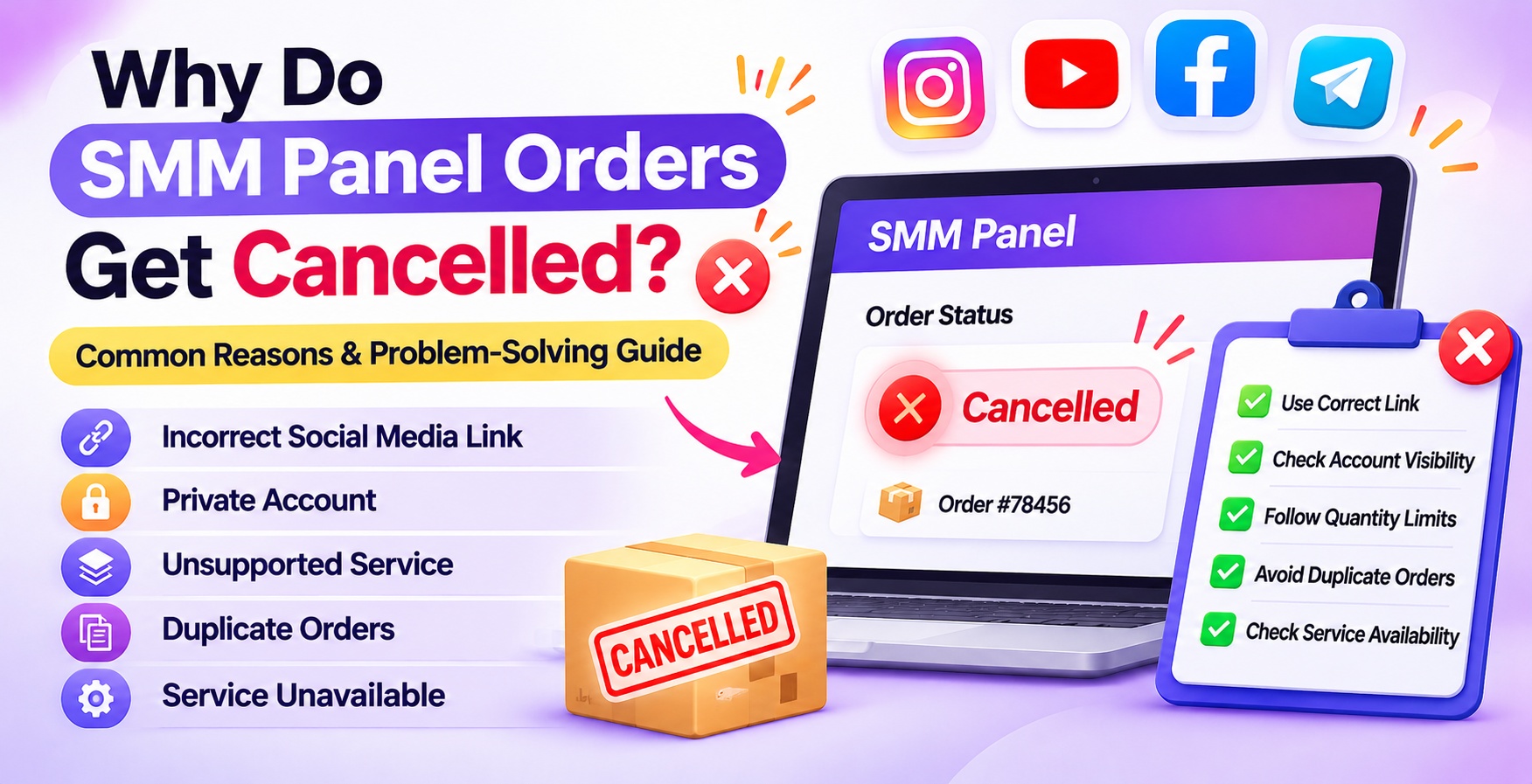
Placing an order through an SMM panel does not always mean that the service will be completed successfully. An order may get cancelled because of an incorrect social media link, private account settings, unsupported content, duplicate orders, incorrect quantities, or temporary service interruptions.
The important thing is to identify why the order was cancelled before submitting another request. For example, an Instagram Reel link may not work with a profile-based service, a YouTube video may be unavailable, or a Telegram channel may have restricted access.
These problems are not always caused by the SMM panel itself. Sometimes the issue comes from the submitted information, account settings, selected service, or third-party provider.
In this guide, you will learn why SMM Panel orders get cancelled, how to identify the problem on Instagram, Facebook, YouTube, and Telegram, what to do when an order fails, and how to avoid common ordering mistakes.
Why Do SMM Panel Orders Get Cancelled?
SMM Panel orders usually get cancelled when a service cannot process the submitted request. Common reasons include incorrect links, private social media accounts, unsupported content, duplicate orders, invalid quantities, deleted posts, service unavailability, and provider-side processing errors. Checking the target URL, account visibility, service description, and order conditions can help identify the problem before placing another order.
What Does a Cancelled SMM Panel Order Mean?
A cancelled SMM Panel order means that the requested service has been stopped before the full order quantity was completed.
This may happen before processing starts or after the service provider identifies a problem that prevents further delivery.
However, a cancelled order does not always mean that the user made a mistake. Technical interruptions, provider limitations, and changes in social media platform functionality can also affect order processing.
Different SMM Panel Order Statuses and Their Meanings
- Pending: The order has been submitted and is waiting to be processed. Check the stated processing time before taking further action.
- Processing: The service has started processing your request. Wait according to the processing time and specifications mentioned in the service description.
- Completed: The panel has marked the requested order as completed. Verify the result on your target social media account.
- Partial: Only part of the requested quantity has been processed. Check the remaining quantity and review the service policy.
- Cancelled: The order was stopped before the full quantity was completed. Check the cancellation reason and contact support if necessary.
- Failed: The service could not complete the request. Review your submitted link and service requirements to identify the issue.
Note: Exact status definitions and available actions can vary between SMM panels.
10 Common Reasons Why SMM Panel Orders Get Cancelled
Understanding the reason behind a cancellation is more useful than repeatedly submitting the same order. Below are the common problems, why they occur, and how to resolve them.
1. Incorrect Social Media Link
Problem: The submitted URL is incorrect, incomplete, or unsupported.
An incorrect link is one of the common reasons an SMM Panel order may fail or get cancelled. The service provider needs the correct target URL to identify the profile, post, video, or other content associated with the order.
Why Does It Happen?
- Copying the wrong profile or post URL.
- Submitting an incomplete link.
- Using an unsupported URL format.
- Adding extra characters or spaces.
- Confusing a profile link with an individual post link.
How to Fix It
- Open the original social media profile or post.
- Use the platform's share or copy-link option.
- Compare the copied URL with the format required by the selected service.
- Open the link separately to confirm that it leads to the correct content.
- Submit the corrected link only after checking the service requirements.
Example: If a service requires an Instagram Reel link but you submit your Instagram profile URL, the order may not be processed because the target format does not match the service requirements.
2. Private Social Media Account
Problem: The selected account or content is not publicly accessible.
Many social media services require the target profile, post, or video to be publicly accessible. When an account is private, the provider may not be able to identify or access the required content.
Why Does It Happen?
- The account is set to private.
- The target post is restricted.
- The content is visible only to approved followers.
- The selected service does not support private accounts.
How to Fix It
- Open your social media account settings.
- Check the account's privacy status.
- Confirm whether the selected service supports private accounts.
- If public access is required, make the target content accessible according to the platform's settings.
- Recheck the service requirements before placing another order.
Important: Do not assume that every SMM service requires a public account. Some services may have different eligibility conditions. Always follow the individual service description.
3. Unsupported Post or Profile URL
Problem: The link is valid, but the selected service does not support that content type.
A URL can open correctly and still be unsuitable for a particular SMM service.
For example, an Instagram service may support Reels but not profile-based requests, while a YouTube service may require a specific video URL rather than a channel link.
Why Does It Happen?
- Selecting the wrong social media service.
- Submitting a profile URL for a post-based service.
- Using an unsupported video or content format.
- Choosing a service for a different platform feature.
- Ignoring specific link requirements.
How to Fix It
- Read the service title and description carefully.
- Check which platform and content type are supported.
- Compare the required URL format with your submitted link.
- Select a service that matches your actual target.
- Contact support if the supported link format is unclear.
Practical tip: A working URL does not automatically mean it is compatible with every service. Always match the target link to the service specifications.
4. Duplicate or Overlapping Orders
Problem: Multiple orders are submitted for the same target while an earlier order is active.
Placing multiple orders for the same profile, post, or video within a short period can create processing conflicts.
Some SMM services restrict simultaneous orders for the same target because overlapping requests may affect how the service tracks the requested quantity.
Why Does It Happen?
- Placing a second order before the first one is completed.
- Repeatedly submitting the same link.
- Ordering different packages for the same target simultaneously.
- Ignoring service-specific drip-feed or order restrictions.
How to Fix It
- Open your order history.
- Find any active orders associated with the same target.
- Check whether the earlier order is pending or processing.
- Review the selected service's multiple-order policy.
- Avoid submitting another order until the previous one is resolved, unless the service explicitly allows it.
Example: If you order 1,000 YouTube views for a video and submit another 1,000-view order for the same video before the first order is completed, the second request may conflict with the service's processing conditions.
5. Service Temporarily Unavailable
Problem: The selected service cannot accept or process orders at that time.
Sometimes the issue is not related to your account or submitted link. The selected service may be temporarily unavailable because of maintenance, provider interruptions, or changes in service capacity.
Why Does It Happen?
- Temporary provider downtime.
- Scheduled maintenance.
- Service suspension.
- Technical problems.
- Changes in provider availability.
How to Fix It
- Check the service status before ordering.
- Look for maintenance or availability notices.
- Avoid repeatedly submitting the same request.
- Contact customer support if the service remains unavailable.
- Consider another suitable listing only after confirming its specifications.
Problem-solving tip: If several orders from the same service are being cancelled, check whether the issue is service-related rather than repeatedly changing your target links.
6. Incorrect Order Quantity
Problem: The requested quantity is outside the service's permitted limits.
Every SMM service may have its own minimum and maximum order quantities. If the submitted quantity does not meet these limits, the order may be rejected or cancelled.
Why Does It Happen?
- Entering less than the minimum quantity.
- Requesting more than the maximum quantity.
- Adding an incorrect number accidentally.
- Ignoring quantity instructions in the service description.
How to Fix It
- Open the selected service.
- Find its minimum and maximum quantity.
- Compare those limits with your requested amount.
- Enter a supported quantity.
- Review the final order details before checkout.
Example: If a service accepts orders between 100 and 5,000 units, an order for 50 or 10,000 units may fall outside its permitted range.
7. Target Post or Content Has Been Deleted
Problem: The content targeted by the order is no longer available.
An SMM service needs access to the target content according to its service requirements. If a post, video, or profile is deleted or becomes unavailable, the provider may not be able to continue processing the order.
Why Does It Happen?
- The account owner deleted the post.
- The platform removed the content.
- The account was suspended or deactivated.
- The target link no longer works.
- The content became restricted.
How to Fix It
- Open the original link and confirm that the content is still available.
- Check whether the account or post has been removed.
- Avoid editing or deleting the target while an order is processing unless the service instructions permit it.
- Contact support if the content is accessible but the order has been cancelled.
Important: Always confirm that the target content is available before submitting a new order.
8. Changes in Social Media Platform Restrictions
Problem: Changes to the social media platform affect service compatibility.
Instagram, Facebook, YouTube, and Telegram regularly update their features, privacy controls, access systems, and technical requirements. These changes may affect how third-party services interact with particular content types.
A service that previously supported a particular format may experience compatibility problems after a platform update.
Why Does It Happen?
- Changes in platform privacy settings.
- Updates to content visibility.
- Changes in supported access methods.
- Restrictions affecting certain account types.
- Changes to platform features or technical systems.
How to Fix It
- Check the latest service information.
- Review any provider-side updates or maintenance notices.
- Confirm whether the selected content format is still supported.
- Follow the current platform and service requirements.
- Contact support if the service listing appears outdated.
Do not assume that a service will continue to work in exactly the same way simply because it worked previously.
9. Target Does Not Meet Service Eligibility Conditions
Problem: The account or content does not meet the service's starting requirements.
Some SMM services have additional conditions that must be satisfied before an order can be processed.
Depending on the service, these may relate to existing followers, content availability, account activity, post type, or other eligibility requirements.
Why Does It Happen?
- The account does not meet the minimum eligibility condition.
- The post is not accessible.
- The content type is unsupported.
- A required starting condition is missing.
- The user has not followed the instructions in the listing.
How to Fix It
- Read the complete service description.
- Check whether a minimum starting quantity is required.
- Confirm that the target is eligible.
- Verify all account and content conditions.
- Contact support if the requirements are unclear.
10. Provider-Side Processing Failure
Problem: The order is accepted by the panel but cannot be completed by the underlying provider.
An SMM panel may connect users with services supplied by third-party providers. Sometimes an order is accepted initially, but the provider cannot complete the requested work.
This can happen because of technical interruptions, capacity limitations, or provider-side errors.
Why Does It Happen?
- Temporary API interruptions.
- Provider-side technical errors.
- Processing limitations.
- Service capacity problems.
- Unexpected interruptions during delivery.
How to Fix It
- Check the current order status.
- Review the service's stated processing window.
- Avoid immediately placing another order for the same target.
- Contact support if the order remains unresolved.
- Ask for clarification about cancellation and balance-credit policies.
If the issue is provider-related, changing your social media link may not solve the problem.
Platform-Wise SMM Panel Order Problems and Solutions
Different social media platforms use different content formats, URL structures, visibility settings, and service requirements. This means an order problem on Instagram may require a different solution from one on YouTube or Telegram.
Before submitting an order, identify the platform and the exact type of content you want to promote.
Instagram SMM Panel Order Problems
Instagram orders may target profiles, posts, Reels, Stories, or other supported features. Selecting the wrong target link or using an unsupported content format can cause processing problems.
Common Instagram Order Problems
- Submitting a profile link instead of a Reel or post URL.
- Making an account private during order processing.
- Deleting or archiving the target content.
- Changing the username while an order is active.
- Selecting a service that does not support the chosen content format.
- Placing overlapping orders for the same post.
How to Fix Instagram Order Issues
- Check whether the selected service requires a profile, post, Reel, or Story link.
- Open the submitted URL and verify that it works.
- Check the account's visibility settings.
- Avoid changing the username or deleting the target content during processing.
- Review the service's minimum quantity and delivery conditions.
- Check your existing orders before placing another request.
If you are looking for Instagram-related services, explore the Instagram SMM Panel on SMMPanel2.
Facebook SMM Panel Order Problems
Facebook services may involve pages, profiles, posts, videos, likes, followers, or shares. The required link can differ according to the selected service.
Common Facebook Order Problems
- Submitting a personal profile link instead of a Facebook Page link.
- Using an incorrect or incomplete post URL.
- Targeting content with restricted visibility.
- Deleting a post while an order is active.
- Selecting a service for the wrong Facebook content type.
- Ignoring the quantity limits in the service description.
How to Fix Facebook Order Issues
- Identify whether the service requires a Page, post, or video link.
- Copy the URL from the relevant Facebook content.
- Check whether the target is accessible.
- Confirm that the selected service supports that content type.
- Review the order quantity and existing order status.
- Contact support if the link and service requirements are correct but the order still fails.
To explore Facebook-related services, visit the Facebook SMM Panel page.
YouTube SMM Panel Order Problems
YouTube services may involve video views, subscribers, likes, comments, and selected watch-time options. Each service can have different video and channel requirements.
Common YouTube Order Problems
- Submitting a channel URL instead of the required video URL.
- Using a deleted or unavailable video link.
- Targeting a video with restricted visibility.
- Changing the video's availability during processing.
- Selecting an unsupported service for the content type.
- Ignoring video-specific requirements mentioned in the listing.
How to Fix YouTube Order Issues
- Check whether the service requires a channel or individual video URL.
- Open the video link in a separate browser window.
- Confirm that the video is available and meets the stated visibility requirements.
- Review the service's quantity and eligibility conditions.
- Avoid deleting or changing the target video while the order is active.
- Check whether another order is already processing for the same video.
You can review the available options through the YouTube SMM Panel on SMMPanel2.
Important: YouTube has policies concerning artificial engagement. Third-party promotional services should not be treated as a guaranteed way to increase monetisation, rankings, or genuine audience interest. Review the platform's current policies before using such services.
Telegram SMM Panel Order Problems
Telegram services may involve channel members, group members, post views, reactions, shares, and other available options.
The correct link format and channel or group accessibility are particularly important when selecting a Telegram service.
Common Telegram Order Problems
- Submitting a private channel link when the service requires a public channel.
- Using an invalid invitation link.
- Providing a group link for a channel-based service.
- Selecting the wrong Telegram service.
- Using a post link that is not supported by the listing.
- Ignoring channel or group access requirements.
How to Fix Telegram Order Issues
- Identify whether the service is for a channel, group, or individual post.
- Copy the correct Telegram link.
- Check whether the channel or group is accessible.
- Confirm the required public or invitation link format.
- Read the service description for privacy and eligibility conditions.
- Avoid changing the channel username or deleting the target post while an order is active.
For Telegram marketing services, visit the Telegram SMM Panel page.
Why Should You Check Platform-Specific Requirements?
A common mistake is assuming that one URL format or account setting works for every social network.
For example, an Instagram Reel URL cannot be used for a YouTube video service, and a Telegram group invitation link is not interchangeable with a channel post URL.
Always match the following four things before ordering:
- Correct social media platform.
- Correct content type.
- Supported link format.
- Account or content visibility requirements.
This simple check can prevent several avoidable ordering problems.
How to Fix a Cancelled SMM Panel Order: Step-by-Step Guide
If your order has already been cancelled, follow this troubleshooting process before submitting another request.
Step 1: Open Your Order History
Log in to your SMM panel and open the order history or order management section.
Find the cancelled order and note these details:
- Order ID.
- Selected service.
- Submitted quantity.
- Target link.
- Order status.
- Order date and time.
These details will help you identify the issue.
Step 2: Read the Service Description
Open the original service listing and review its conditions.
Check:
- Supported social media platform.
- Required link format.
- Minimum quantity.
- Maximum quantity.
- Account visibility requirements.
- Processing conditions.
- Restrictions on duplicate orders.
Do not rely only on the service name.
Step 3: Verify the Submitted Link
Open the target link separately.
Check whether:
- The correct profile or post opens.
- The URL is complete.
- The content is still available.
- The link format matches the service requirements.
If the URL is incorrect, identify the correct link before considering another order.
Step 4: Check Account Visibility
Confirm that your account or target content meets the selected service's visibility requirements.
If the service requires a publicly accessible target, check the account's privacy settings and content accessibility.
Step 5: Check for Duplicate Orders
Review your order history for other active requests targeting the same link.
If an earlier order is still processing, avoid placing another one unless the service explicitly permits overlapping orders.
Step 6: Review the Service Availability
Check whether the selected service is active and accepting new orders.
If the service is temporarily unavailable, wait for the provider's update or contact customer support.
Step 7: Contact Customer Support
If you cannot identify the problem, contact the panel's support team.
Provide:
- Order ID.
- Service name or ID.
- Target link.
- Order quantity.
- Screenshot of the status, if useful.
- A short explanation of the issue.
Suggested support message:
"My SMM Panel order has been cancelled. Please check the order details and let me know the cancellation reason. I would also like to confirm whether the order amount has been returned to my panel balance."
Step 8: Check the Refund or Balance Policy
After identifying the cancellation reason, review the panel's refund or balance-credit policy.
Check your transaction history to confirm whether the amount has been returned. If it has not, contact support with the order ID and transaction details.
For policy-related information, read the SMMPanel2 Refund Policy.
What Happens to Your Money When an SMM Order Gets Cancelled?
A cancelled order and a refunded amount are two different things.
When an order is cancelled, the amount may be handled according to the panel's balance and refund policy. Some platforms may return the applicable amount to the user's panel balance, while other situations may require support review.
Do not assume that every SMM panel follows the same refund procedure.
Do Cancelled SMM Panel Orders Get Refunded?
Refund or balance-credit eligibility depends on the platform's terms, the service conditions, and the reason for cancellation.
Before placing an order, review the platform's cancellation and refund policies.
What Should You Do If the Cancelled Order Amount Is Not Returned?
Follow these steps:
- Open your account balance.
- Check the transaction history.
- Find the cancelled order.
- Confirm whether a balance adjustment has been recorded.
- Review the platform's refund policy.
- Contact customer support with the order ID and relevant transaction details.
Keep your order information and payment records available until the issue is resolved.
10 Tips to Prevent SMM Panel Order Cancellations
Preventing an order problem is easier than troubleshooting repeated cancellations. Use this checklist before submitting your next order.
1. Always Copy the Correct Social Media Link
Use the original platform's copy-link option and verify that the URL opens the intended content.
2. Check Account and Content Visibility
Confirm whether the selected service requires a public account or accessible content.
3. Read the Complete Service Description
Understand all requirements instead of selecting a service based only on its title or price.
4. Follow Minimum and Maximum Quantity Limits
Enter a quantity that falls within the permitted range.
5. Avoid Duplicate Orders
Check your existing orders before submitting another request for the same target.
6. Verify the Supported Platform Feature
Make sure the service supports the exact profile, post, video, Story, or other content format you want to target.
7. Check Service Availability
Review service status and maintenance notices before placing an order.
8. Keep the Target Content Accessible
Avoid deleting or restricting the target while an order is being processed unless the service instructions allow it.
9. Review Order Details Before Checkout
Double-check the service, quantity, link, and other submitted information.
10. Contact Support When Requirements Are Unclear
Ask for clarification before ordering if you are unsure whether your account or content meets the service requirements.
Common Mistakes That Lead to Cancelled SMM Orders
Some SMM Panel order cancellations can be avoided by following the correct ordering process and checking service requirements before submitting a request.
1. Submitting the Wrong URL: When an incorrect link is submitted, the service may not be able to identify the target content. Always verify the copied link before placing an order.
2. Using a Private Account: Private accounts may prevent the service from accessing the required content. Check the service's visibility requirements before ordering.
3. Selecting the Wrong Service: Choosing a service that does not support your target profile, post, or content type can lead to cancellation. Match the selected service with your actual requirements.
4. Placing Duplicate Orders: Multiple orders for the same target may create processing conflicts. Check your existing order status before submitting another request.
5. Entering an Invalid Quantity: A quantity outside the service's minimum or maximum limits may result in rejection. Always follow the quantity restrictions mentioned in the service description.
6. Deleting Target Content: Removing a post, video, or profile during order processing may prevent the service from accessing the target. Keep eligible content available until processing is complete.
7. Ignoring Service Instructions: Skipping important service requirements can lead to incorrect orders or processing failures. Read the complete service description before checkout.
8. Ordering During Service Downtime: Temporary maintenance or provider interruptions may affect order processing. Check service availability before placing a new order.
How to Identify a Reliable SMM Panel Before Ordering
Not every order cancellation is caused by user error. The service provider and its stated conditions also matter.
Before selecting an SMM panel, review the following points.
Clear Service Descriptions
A useful service listing should explain the supported platform, target format, quantity limits, and applicable restrictions.
Transparent Pricing Information
Check the listed price and understand how the selected quantity affects the total order amount.
Defined Cancellation Policy
Review what happens if a service cannot be completed and how the platform handles cancelled orders.
Clear Refund or Balance-Credit Information
Understand the platform's policy for returning amounts associated with eligible cancelled orders.
Order Tracking Features
Order history and status information help users identify whether an order is pending, processing, completed, partial, or cancelled.
Accessible Customer Support
A clear support process can help users resolve questions about order requirements, processing issues, and cancellations.
Current Service Information
Check whether the service is active and whether any restrictions or maintenance notices have been published.
These checks do not guarantee that an order will never be cancelled, but they help users make more informed decisions.
How Does the November 2026 Google Core Update Affect Helpful SMM Panel Content?
Google's November 2026 Core Update began rolling out on 10 November 2026. Google described it as a regular update designed to better surface relevant and satisfying content for searchers across different types of websites.
The update does not provide a special SEO formula or a new keyword requirement for SMM Panel websites. Instead of making changes just to target an algorithm update, focus on whether the article genuinely helps the reader solve their problem.
For an article about cancelled SMM orders, that means:
1. Answer the Main Question Immediately
Do not make readers scroll through a long introduction to understand why an order gets cancelled.
Explain the most common causes directly below the H1 and then provide detailed solutions.
2. Provide Platform-Specific Information
Instagram, Facebook, YouTube, and Telegram use different content formats and link requirements.
Explain these differences instead of repeating generic advice for every platform.
3. Include Actionable Troubleshooting Steps
Readers should know exactly what to check after an order is cancelled.
Include practical instructions for checking links, privacy settings, quantity limits, duplicate orders, and service availability.
4. Avoid Unsupported Guarantees
Do not promise that every order will be completed, that cancellations never happen, or that every cancelled order automatically receives a refund.
Explain that service conditions and refund eligibility vary.
5. Use Relevant Internal Links
Connect this educational article with relevant SMMPanel2 platform pages and help resources.
Internal links should help readers move to the next relevant page, not simply repeat keywords.
6. Keep Content Accurate and Updated
Review platform-specific instructions and service policies when they change. Update the article when new information becomes available.
For Google Search guidance, refer to the Google Search Status Dashboard and Google's documentation on creating helpful, reliable, people-first content.
Note: A core update does not guarantee ranking gains from any single content change. Evaluate performance after the rollout and use actual Search Console data to guide further improvements.
Explore Social Media Services with SMMPanel2
Choosing the correct service is an important part of avoiding common ordering problems. Before placing an order, users should understand the supported platform, target link format, quantity limits, and other service requirements.
SMMPanel2 provides an online platform where users can explore different social media marketing categories and review available service listings.
You can explore the following platform-specific service pages:
Instagram SMM Panel
Explore the Instagram SMM Panel to review available services related to followers, likes, views, Reels, Stories, and other supported Instagram activities.
Facebook SMM Panel
Visit the Facebook SMM Panel to review available Facebook services and their individual ordering requirements.
YouTube SMM Panel
Explore the YouTube SMM Panel for available video and channel-related service options.
Telegram SMM Panel
Visit the Telegram SMM Panel to review services related to Telegram channels, groups, posts, and other available features.
Learn How an SMM Panel Works
If you are new to SMM panels, read How SMM Panel Works to understand the general process of account setup, adding funds, placing orders, and tracking order status.
Before selecting any service:
- Read the complete service description.
- Check the supported content type.
- Verify the submitted URL.
- Review the quantity limits.
- Understand the applicable cancellation and refund conditions.
- Follow the current rules of the relevant social media platform.
The goal should be to select a service that matches your actual requirements rather than placing repeated orders without checking the cause of a previous cancellation.
Frequently Asked Questions
Q1. Why do SMM Panel orders get cancelled?
SMM Panel orders can be cancelled because of incorrect links, private accounts, unsupported content, duplicate orders, invalid quantities, deleted posts, temporary service interruptions, or provider-side processing errors. Checking the service requirements and submitted details can help identify the specific cause.
Q2. What should I do if my SMM Panel order is cancelled?
First, open your order history and note the order ID, service, quantity, and target link. Then review the service description, verify the link and account visibility, and check for duplicate orders. If the reason is unclear, contact customer support before placing another order.
Q3. Do cancelled SMM Panel orders get refunded?
It depends on the SMM panel's refund and balance-credit policy. Some platforms may return eligible cancelled order amounts to the user's panel balance. Check your transaction history and the platform's terms to confirm how your particular order has been handled.
Q4. Can a private account cause an SMM order cancellation?
Yes, if the selected service requires a publicly accessible profile or post. Private accounts may prevent a provider from accessing the target content. Check the service description to understand its visibility requirements before ordering.
Q5. Why does my SMM Panel order show failed?
An order may show failed when the service cannot process the submitted request. Possible reasons include an invalid URL, unsupported content format, service interruption, or provider-side error. Review the service requirements and contact support if the problem continues.
Q6. Can an incorrect link cancel an SMM Panel order?
Yes. An incorrect, incomplete, or unsupported URL may prevent the provider from identifying the intended target. Copy the link directly from the social media platform and confirm that it matches the format required by the selected service.
Q7. Why do duplicate SMM Panel orders get cancelled?
Some services restrict multiple active orders for the same target because overlapping requests can create processing conflicts. Check your order history before submitting another request and follow the multiple-order instructions mentioned in the service listing.
Q8. How long should I wait before contacting SMM Panel support?
Check the processing time stated in the service description first. If the order is cancelled, remains unresolved beyond the stated conditions, or its status is unclear, contact support with the order ID and relevant details.
Q9. What is the difference between pending and cancelled SMM orders?
A pending order is waiting to be processed, while a cancelled order has been stopped before full completion. A pending order may still proceed according to its service conditions. A cancelled order requires checking the reason before taking further action.
Q10. Can social media platform updates affect SMM Panel orders?
Yes. Changes to platform privacy settings, content visibility, access methods, or supported features may affect third-party service compatibility. If a previously working service starts failing, check for provider updates and current service requirements.
Q11. Why is my SMM Panel order partially completed?
A partial order means that only some of the requested quantity was processed. This may happen because of provider limitations, target eligibility issues, or service-specific conditions. Check the remaining quantity and the panel's policy to understand how the unfinished portion is handled.
Q12. How can I prevent SMM Panel orders from getting cancelled?
Use the correct target link, check account visibility, follow quantity limits, avoid duplicate orders, verify service availability, and read the complete service description before ordering. These checks can reduce avoidable mistakes and help you select an appropriate service.
Avoid Common SMM Panel Order Problems
SMM Panel order cancellations can happen for different reasons, and identifying the correct cause is the first step towards resolving them.
Incorrect links, private accounts, unsupported content, duplicate orders, invalid quantities, deleted posts, service interruptions, and provider-side errors can all affect order processing.
The best approach is to check the order status, verify the submitted link, review service requirements, and understand the cancellation policy before placing another request.
If you are exploring social media marketing services, visit SMMPanel2 and review the relevant Instagram, Facebook, YouTube, and Telegram service categories.
Make informed service selections, check the requirements carefully, and manage your SMM Panel orders with confidence.
About the Author
Shevam – SEO & Digital Marketing Expert
Shevam has over 10 years of experience in SEO and digital marketing. His expertise includes search visibility, digital growth strategies and online marketing platforms.
Through SMMPanel2, he shares information about social media marketing services, platform features and digital growth strategies.
Read more about the author on the SMMPanel2 Author Profile.